Organization AS2 profile
Your organization’s AS2 profile says how partners address you and which certificate you sign and decrypt with. You need one before you can send or receive AS2 messages.
Create the profile
Upload your certificate with its private key. See Certificates.
Go to Organizations and open your organization.
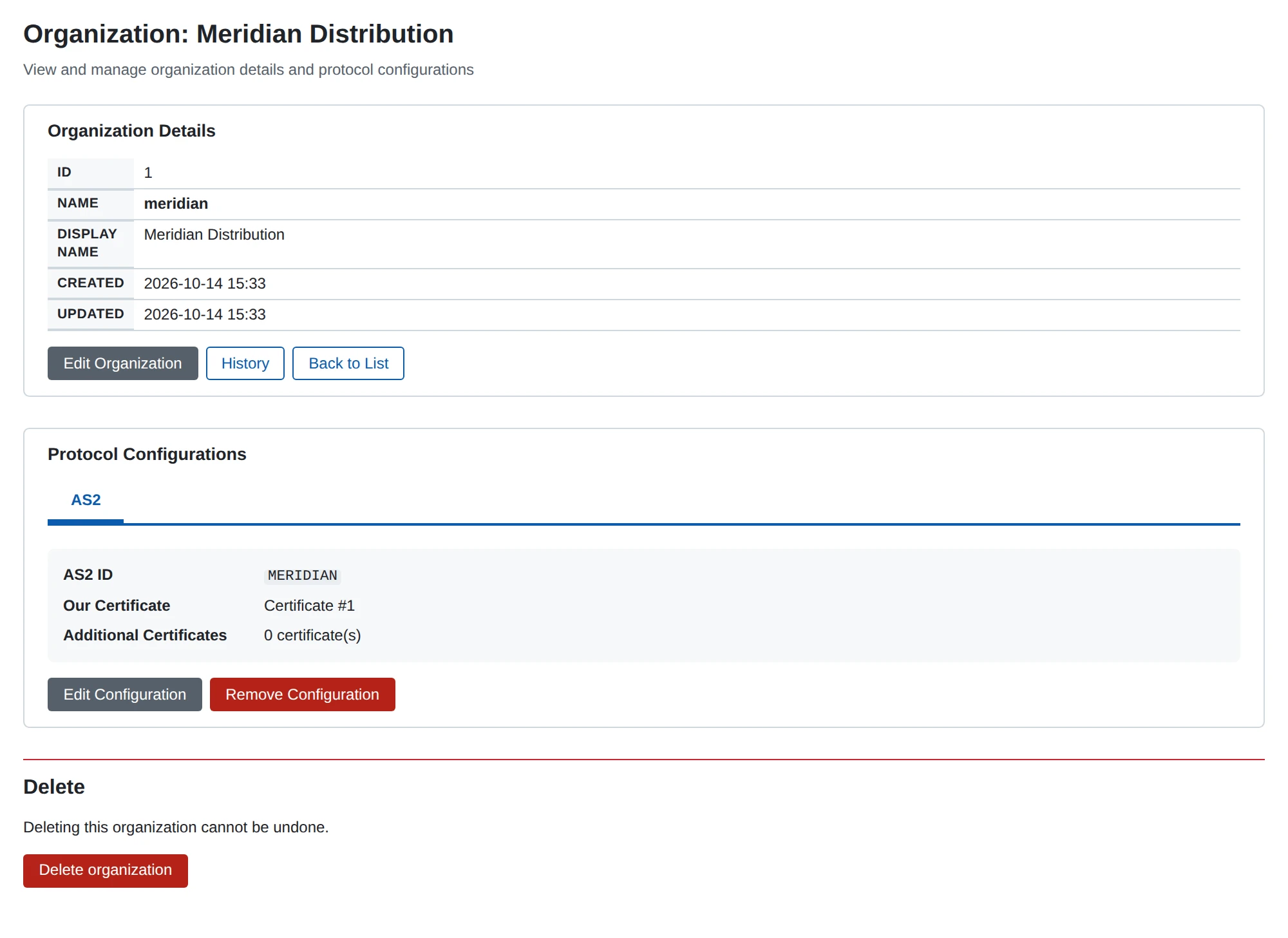
Choose Configure AS2.
Enter your AS2 ID and choose Our Certificate.
Enter MDN Notification To, for example
[email protected].Save.
In the REST API the profile is /api/v1/as2/local-profiles.
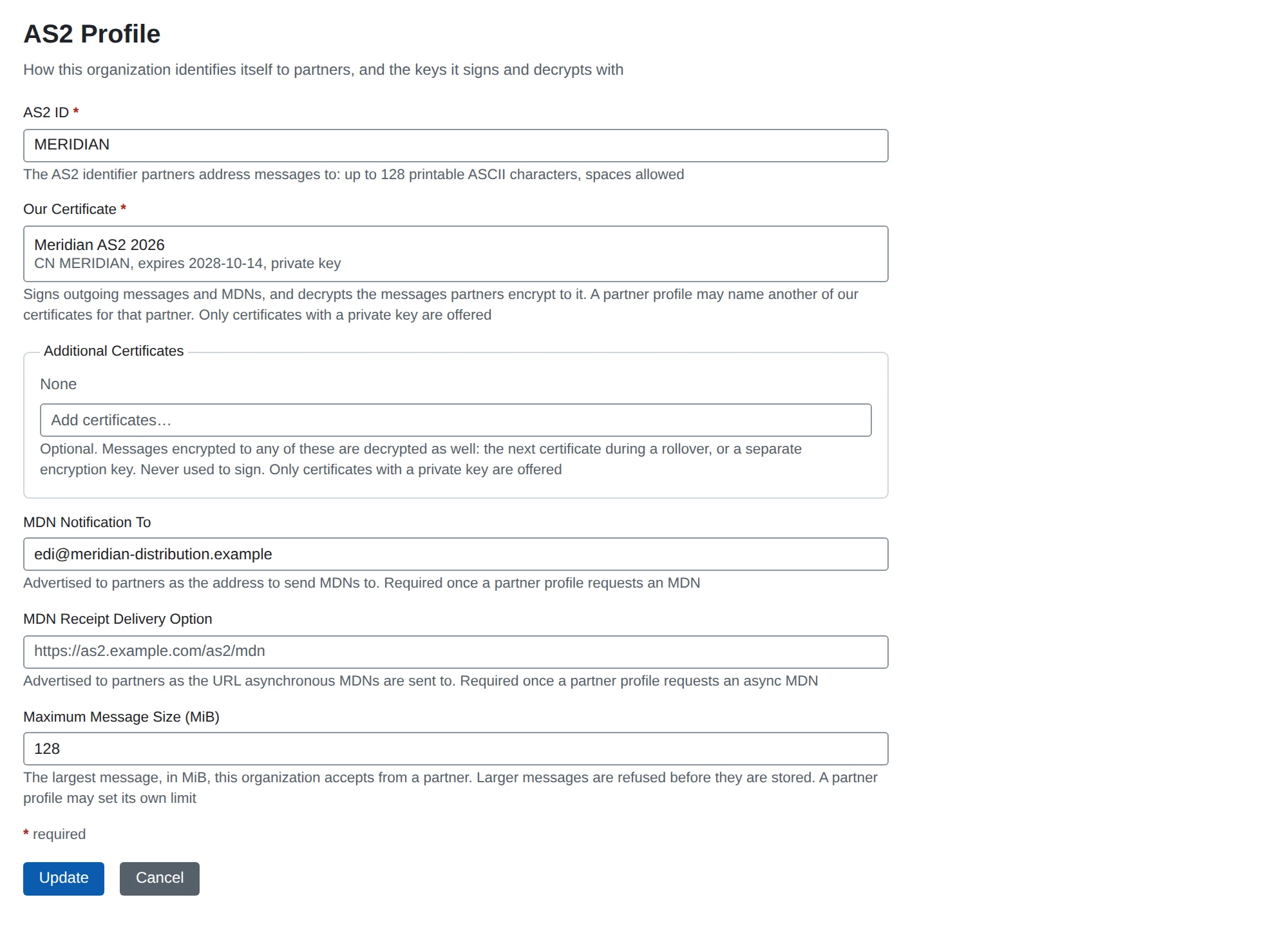
Settings
| Setting | What it does | Default |
|---|---|---|
| AS2 ID | Required. The ID partners send messages to. It is the AS2-To of incoming messages and the AS2-From of outgoing ones. | none |
| Our Certificate | Required. Signs your messages and receipts, and decrypts what partners encrypt to you. Must have its private key. | none |
| Additional Certificates | Optional. Messages encrypted to any of these are decrypted too. Use it for the next certificate during a rollover, or a separate encryption key. Never used to sign. | none |
| MDN Notification To | Sent to partners when you ask for a receipt. Required as soon as a partner profile requests a receipt. | none |
| MDN Receipt Delivery Option | The URL partners post asynchronous receipts to. Required as soon as a partner profile requests an asynchronous receipt. | none |
| Maximum Message Size (MiB) | The largest message you accept from a partner, 1 to 2048. A partner profile can set its own limit. | 128 |
See AS2 overview for which characters an AS2 ID may contain.
The two receipt fields
When you send a message and ask for a receipt (an MDN), the request names where the receipt should go. That comes from this profile.
MDN Notification To is required for every receipt request.
It looks like an e-mail address, for example [email protected].
AS2 requires it in the request, but no e-mail is sent to it.
MDN Receipt Delivery Option is the URL for asynchronous receipts.
Its path must be the MDN Callback Path of one of your AS2 receivers.
For example, with a receiver whose MDN Callback Path is /as2/mdn, use https://as2.mycompany.example/as2/mdn.
See AS2 receiver.
There is no default for either field. If a send needs one that is empty, the send fails. The message’s history then names the field to set, for example:
the organization’s AS2 profile “MYCOMPANY” has no MDN Notification To. Set MDN Notification To on the organization’s AS2 profile, or set Request MDN to None on the partner’s AS2 profile.
Our certificates and rollover
One certificate normally does both jobs. It signs what you send and decrypts what partners encrypt to you.
MicroB2B decrypts a message with any of your certificates:
- the partner profile’s Our Certificate, if set,
- the organization’s Our Certificate,
- the organization’s Additional Certificates.
For signing it uses one certificate per partner. That is the partner profile’s Our Certificate if set, otherwise the organization’s.
To replace your certificate without a fixed cut-over date:
- Upload the new certificate and add it to the organization’s Additional Certificates. Messages encrypted to it are decrypted from then on. Nothing is signed with it yet.
- Send each partner the new public certificate. When a partner has installed it, set Our Certificate on that partner’s profile to the new one. Messages and receipts to that partner are signed with it from then on.
- When every partner has moved, make the new certificate the organization’s Our Certificate.
- Clear the Our Certificate overrides on the partner profiles.
- Remove the old certificate from Additional Certificates and delete it.
Message size
The limit protects your server from very large uploads. It applies to the message as it arrives, before decryption. It also applies to the result of each decompression step. So a small compressed message cannot expand past the limit.
A partner’s limit replaces the organization’s when it is set, whether it is larger or smaller.
A message over the limit is refused before anything of it is stored:
- With a synchronous receipt requested, the partner gets a receipt
processed/error: unexpected-processing-error. - Otherwise the partner gets HTTP 413. No asynchronous receipt is sent.
- MicroB2B logs a warning.
If the message announces its size in advance and it is too large, MicroB2B does not read it at all.
A message also has to arrive in time. The read fails when the partner sends nothing for a minute. It also fails when the upload takes longer than a minute plus the time the limit takes at 32 KiB/s.
Messages for an unknown ID
The receiver identifies your organization and the partner from the headers, before it reads the message. A message that names no known organization or partner is refused unread. Nothing is stored and no asynchronous receipt is sent.
The partner gets a receipt if it asked for a synchronous one:
processed/error: unexpected-processing-error for an unknown AS2-To, and
processed/error: authentication-failed for an unknown AS2-From.
Otherwise it gets HTTP 400 with a short reason.
The log line names the unknown ID.