Reading a receipt
Every AS2 message keeps the receipt (MDN) that went with it. This page shows where to find it and how to read it. For what receipts are, see Receipts (MDNs).
Where to find it
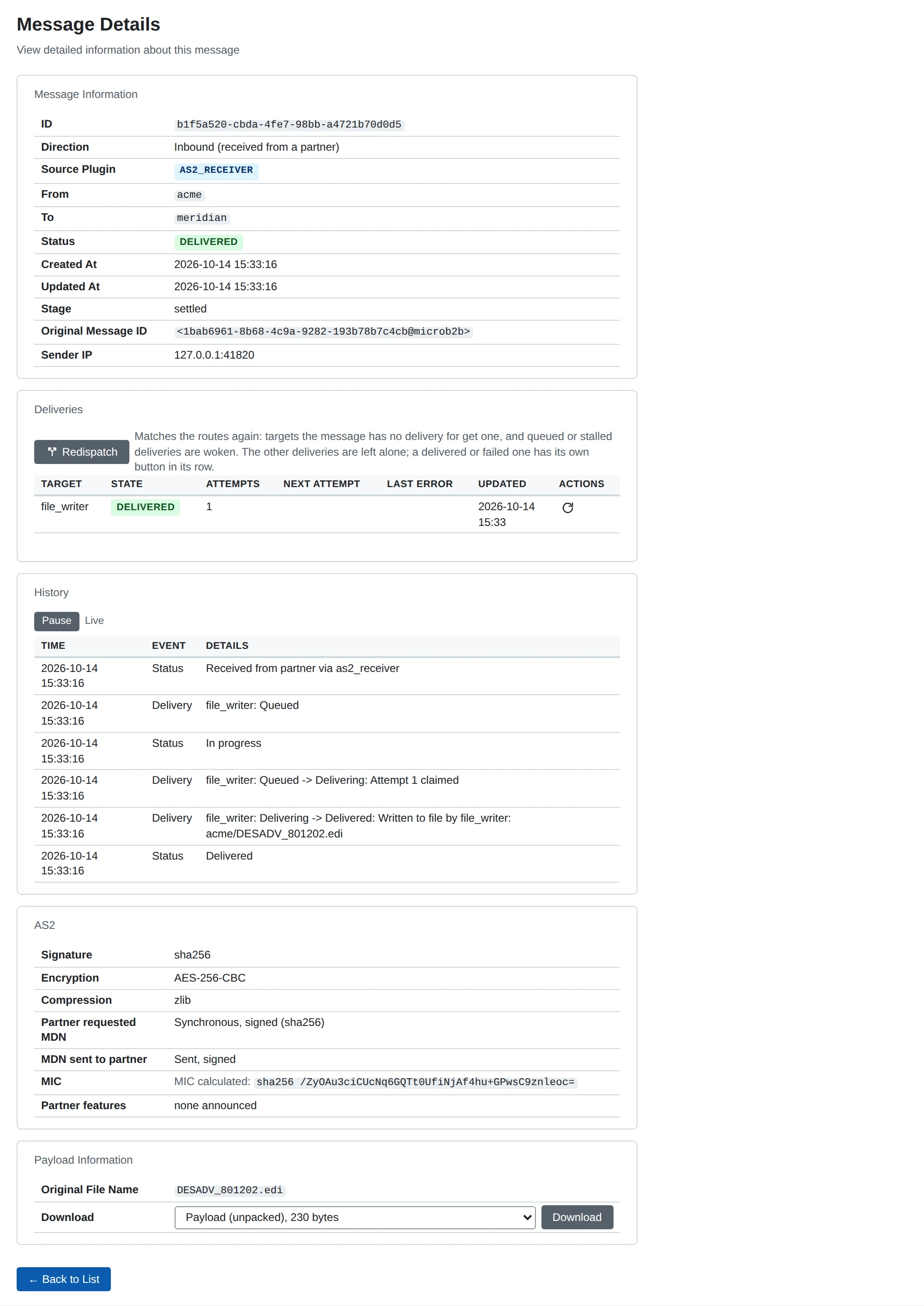
Each AS2 message’s page has an AS2 section.
The REST API returns the same under protocols.as2 in GET /api/v1/messages/{id}.
The first rows say how the message itself was protected:
| Row | Message you sent | Message you received |
|---|---|---|
| Signature | The algorithm you signed with | The algorithm of the partner’s signature, once it verified |
| Encryption | The algorithm you encrypted with | The algorithm the message was encrypted with |
| Compression | zlib or None | The same |
None means the message was not signed, encrypted or compressed.
For a received message, “None verified” means no signature was verified.
A signature that fails also shows nothing; the message then has the status Error.
The next rows are about the receipt:
| Message you sent | Message you received | |
|---|---|---|
| Asked for | MDN requested | Partner requested MDN |
| The receipt | MDN received from partner | MDN sent to partner |
| MIC | MIC sent and MIC returned by partner, marked when they differ | MIC calculated, the one in your receipt |
“Not applicable” means the value cannot exist, for example because no receipt was requested. “Not known” means you do not have it yet, for example because the asynchronous receipt has not arrived.
Partner software shows the name and version the partner’s receipt gives in its Reporting-UA field.
Partner features shows the optional AS2 features the partner announced.
Download the receipt
The receipt itself is stored with the message.
Choose “Receipt” in the message page’s stage selector to download it.
In the REST API, use GET /api/v1/messages/{id}/payload?stage=receipt.
The download is the receipt as it travelled: its HTTP headers, a blank line, and the body.
You can check a signed receipt with openssl smime -verify.
MicroB2B keeps the first receipt of each message.
It keeps a synchronous receipt even when it was rejected.
It keeps an asynchronous receipt only once its signature verifies and it matches a waiting message.
For receipts that are rejected, see AS2: sending problems.