AS2 sender
An AS2 sender posts your messages to your partners. This page explains its settings, how it retries a failed delivery, and when it gives up.
What the sender does
A route sends a message to an AS2 sender. The sender looks up your organization’s and the partner’s AS2 profiles. It compresses, signs and encrypts the message as the partner profile says. Then it posts the message to the partner’s endpoint and handles the receipt.
A fresh installation has one sender.
One sender can serve all your partners.
You can add more under Plugins > AS2 Senders with + New AS2 Sender.
In the REST API it is POST /api/v1/plugins/configs?type=as2-sender.
A new or changed sender takes effect when it restarts. Restart it under System > Services, or restart MicroB2B.
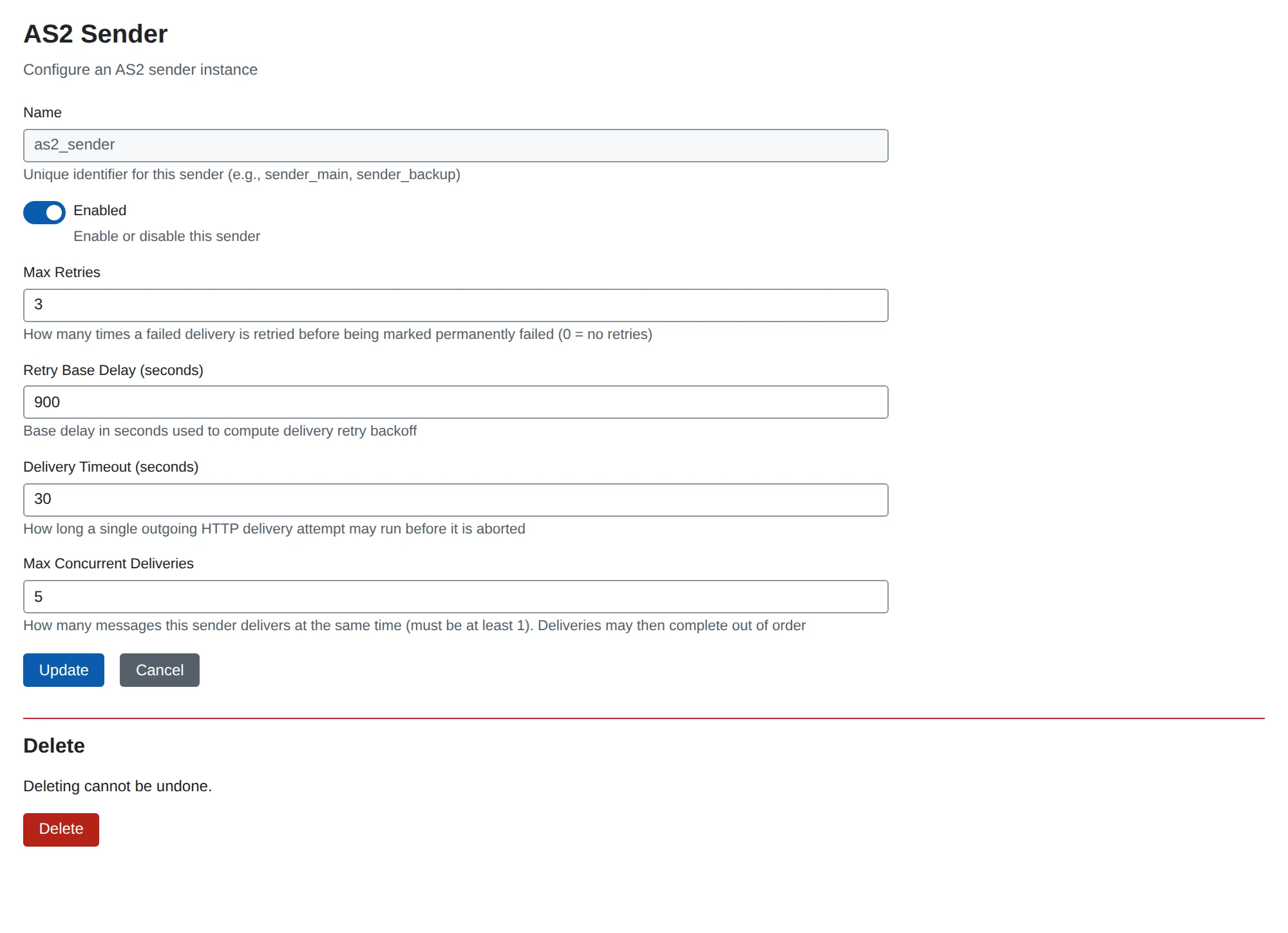
Settings
| Setting | What it does | Default |
|---|---|---|
| Name | Required. The sender’s name. Routes use it as their target. | none |
| Enabled | Turns the sender on or off. | on |
| Max Retries | Retries after a failed attempt before the message fails. 0 means no retries. | 3 |
| Retry Base Delay (seconds) | The wait before the first retry. It doubles for each later retry. | 30 |
| Delivery Timeout (seconds) | How long one attempt may take. | 30 |
| Max Concurrent Deliveries | Messages sent at the same time, at least 1. | 5 |
With more than one concurrent delivery, messages to one partner may arrive out of order. Set Max Concurrent Deliveries to 1 if a partner needs them in order.
A partner profile can replace the retry and timeout settings for one partner. See Partner AS2 profile.
Retries
Some failures may go away on their own: a connection error, a timeout, or an error answer from the partner.
MicroB2B retries those.
The message shows the status Retrying while it waits.
The wait before each retry grows:
| Retry | Wait with the default base of 30 seconds |
|---|---|
| 1 | 30 seconds |
| 2 | 1 minute |
| 3 | 2 minutes |
| 4 | 4 minutes |
The wait doubles each time, up to 30 minutes. MicroB2B adds up to half of the wait again at random, so failed messages do not all retry at the same moment. A partner’s Resend Interval replaces this with a fixed wait.
After the last attempt the message gets the status Error, with max retries exceeded and the cause.
MicroB2B raises an alert for it.
Retries are stored in the database. They survive a restart: a sender that starts takes up the retries that are due.
Failures that are not retried
Some failures will not go away by trying again.
The message fails at once, with the status Error and the reason in its history.
That happens when:
- the organization or the partner has no AS2 profile,
- the file or a signing or encryption certificate cannot be loaded,
- a required receipt field on the organization’s profile is empty.
Fix the cause, then redeliver the message. See Message actions.
Receipts
What happens after the post depends on Request MDN on the partner’s profile:
- Synchronous: the receipt comes back in the answer. A good receipt makes the message
Delivered. A bad one makes itError. - Asynchronous: the message waits as
Awaiting receiptuntil the partner posts its receipt. If none arrives within the Receipt Timeout, the delivery fails. - None: the message is
Deliveredas soon as the partner answers with a 2xx status.
See Receipts (MDNs).
What the sender sends
Every request carries these headers:
AS2-Version: 1.2, which tells the partner that compression is supported.User-Agent: MicroB2B/<version>.Date, the time of the attempt. A retry is signed again and gets a new date.
You cannot set these headers yourself. To leave out the version, turn on Hide the version under System > Settings > Identification. See Settings.
The file part is always sent as binary, and says so. This keeps signatures valid at partners whose software would otherwise change line endings.
Optional AS2 features
AS2 lets each side list optional features it supports, in the EDIINT-Features header.
MicroB2B implements none of these optional features, so it leaves the header out.
The features a partner announces are shown as Partner features on the message page. MicroB2B does not change what it does because of them. Set what a partner needs in its profile instead.