Settings
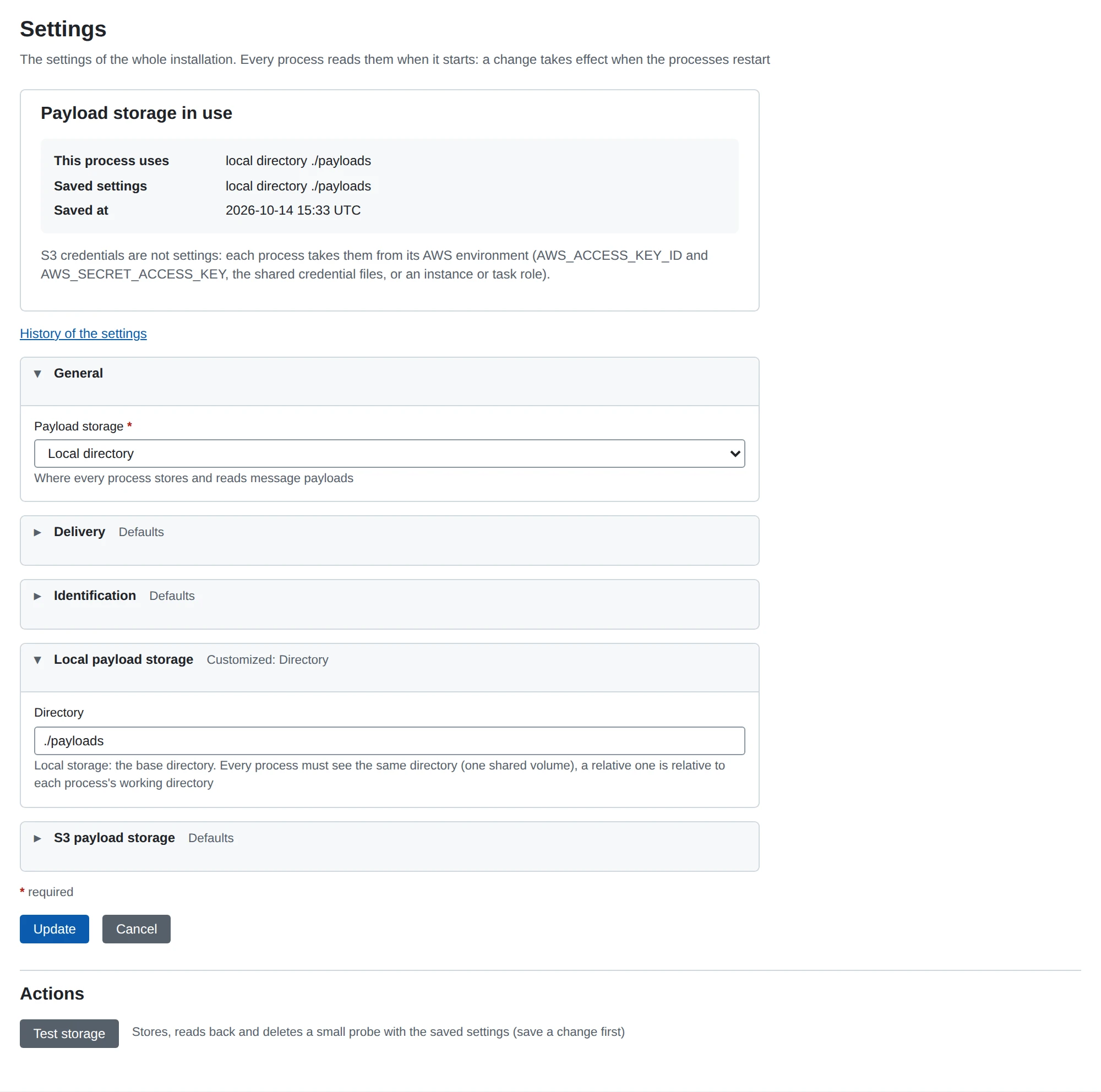
System > Settings holds the settings of the whole installation. This page explains each section and when a change takes effect.
When a change takes effect
MicroB2B reads these settings once, when it starts. A saved change takes effect after you restart MicroB2B.
Settings that MicroB2B needs before it can open its database are not here. Those are environment variables, such as the database, the public URL and the keys. See Environment variables.
Change the settings
- Go to System > Settings.
- Open the section you want to change. A section that differs from the defaults says so in its summary.
- Change the settings.
- Click Update.
- Restart MicroB2B.
Every change is recorded in the audit log. The link History of the settings on the page shows those entries.
General
| Setting | What it does | Default |
|---|---|---|
| Payload storage | Where MicroB2B stores message content: Local directory or Amazon S3 or S3-compatible. | Local directory |
Delivery
| Setting | What it does | Default |
|---|---|---|
| Wake-ups before a delivery stalls | How often MicroB2B reminds a target of a delivery it has not taken up, before the delivery is marked stalled. 1 to 20. | 5 |
The waits between reminders grow from 10 seconds to 10 minutes. With the default, a delivery stalls after about 23 minutes. A stalled delivery raises the alert delivery_stalled.
Raise the number if a busy target needs more time to work off a backlog. Lower it to hear sooner about a target that is stopped. See Messages.
Identification
| Setting | What it does | Default |
|---|---|---|
| Hide the version | Leaves the version number out of the name MicroB2B sends to other systems. | off |
MicroB2B names itself in the User-Agent header of every request it sends: AS2 messages and receipts, HTTP posts and notifications. It also names itself in the Server header of its AS2 answers, and in its own receipts.
- With the version shown, the name is
MicroB2B/<version>. This helps a partner diagnose a problem. - With the version hidden, the name is
MicroB2B.
Local payload storage
| Setting | What it does | Default |
|---|---|---|
| Directory | The base directory of local storage. A relative path is relative to MicroB2B’s working directory. | ./payloads |
S3 payload storage
| Setting | What it does | Default |
|---|---|---|
| S3 Bucket | The bucket name. The bucket must exist. | (empty) |
| S3 Region | The bucket’s AWS region. | (empty) |
| S3 Endpoint | The URL of an S3-compatible service, such as MinIO. Empty for AWS itself. | (empty) |
S3 credentials are never settings. See Payload storage for credentials, testing and moving between backends.
Test storage
Test storage on the settings page checks the saved storage settings. It writes, reads and deletes a small test file. Save first: the test does not use what you typed but did not save. See Payload storage.
REST API
GET /api/v1/settings returns the settings. PUT /api/v1/settings changes them. The JSON names start with the section: storage_backend, storage_local_directory, storage_s3_bucket, storage_s3_region, storage_s3_endpoint, delivery_max_dispatches and identification_hide_version. POST /api/v1/settings/storage/test runs the storage test. See API resources.