Message actions
This page explains what you can do with a message by hand: redispatch it, redeliver it, send it again, or send a new message yourself. It also explains what happens to messages when MicroB2B stops.
Where to find the actions
Open a message from the Messages page. The Deliveries table lists one delivery per target. Its Actions column holds a round-arrow button for each delivery you can act on. Hover over it to see its name. The Redispatch button sits above the table.
Every action asks for confirmation where it matters. It writes a line in the message’s history that names you.
If the page was open for a while, it may offer an action that does not apply to the current state. MicroB2B then refuses it, gives the reason and shows the current state.
Redispatch
Redispatch matches the routes again for the whole message.
- A target that has no delivery yet gets one. This is how a route you added later takes effect, for example for a message that was Not routed.
- Queued and stalled deliveries are started again.
- Delivered, failed and running deliveries are left alone.
If there is nothing to do, MicroB2B says “Nothing to redispatch: the routes match no new target and no delivery is waiting.” Nothing changes.
You can redispatch any message except one its source is still storing.
Redeliver
Redeliver to <target> is offered for a delivery that is Failed, Stalled or Retrying. It sends that one delivery again from the start. The attempt count goes back to zero and the last error is cleared.
Use it after you fixed the cause, such as a partner’s address or a full disk. You can also use it to try a retrying delivery at once instead of waiting.
Send again
Send again to <target> is offered for a delivery that is Delivered. It sends the message to that target a second time. Use it when the file or the copy downstream was lost. The message goes back to In progress and ends Delivered again. The history shows both passes.
What happens depends on the target:
- File writer: MicroB2B writes the file again if it is missing. An identical file that is already there counts as written. A different file with that name fails the delivery, unless Overwrite Existing Files is on.
- HTTP poster: MicroB2B posts the payload a second time.
- AS2 sender: see below.
Be careful with an AS2 partner. MicroB2B sends the message with the same AS2 Message-ID. The partner sees it as a repeat of a message it already has. It may answer with the receipt it stored the first time, with a failure receipt for a duplicate, or with no receipt at all. Without a receipt, the delivery fails when the receipt deadline passes, and the message ends in Error. The partner still has the message from the first time. A partner that ignores repeats will not process the document again. Ask the partner to reprocess it instead.
Send a message by hand
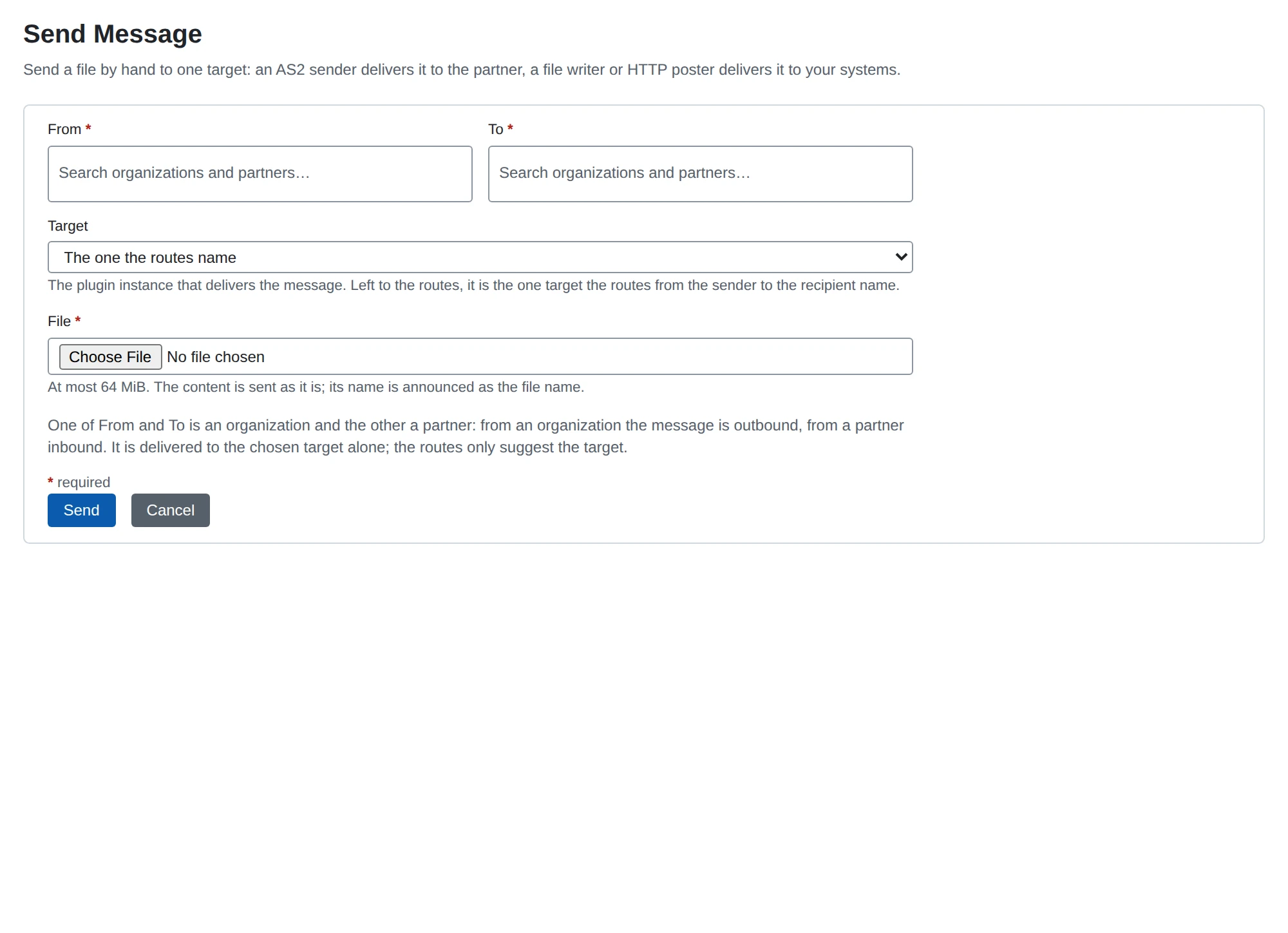
Send Message, below Messages in the menu, sends a file you choose as a new message. You do not need a file poller.
- Go to Send Message.
- Choose From and To. One must be an organization and the other a partner.
- From an organization to a partner is an outbound message.
- From a partner to an organization is an inbound message.
- Choose the Target, or leave it at “The one the routes name”.
- Choose the file.
- Click Send.
The target delivers the message. An AS2 sender sends it to the partner. A file writer or HTTP poster hands it to your own systems.
If you leave the target to the routes, MicroB2B uses the one target that the routes from the sender to the recipient name. If the routes name none or more than one, MicroB2B asks you to choose.
The file can be at most 64 MiB. Its name becomes the message’s original file name. MicroB2B sends its content as it is.
After that it is an ordinary message. Its source is shown as @operator, and its history names who sent it.
The same actions in the REST API
| Action | Request |
|---|---|
| Redispatch | POST /api/v1/messages/{id}/redispatch |
| Redeliver or send again | POST /api/v1/messages/{id}/deliveries/{delivery_id}/redeliver |
| Send a message | POST /api/v1/messages, a multipart/form-data upload with from, to, an optional target and file |
A refused redispatch answers 409 NOT_REDISPATCHABLE. A refused redeliver answers 409 NOT_REDELIVERABLE. See API resources.
When MicroB2B stops
When MicroB2B stops, or you stop an instance on System > Services, the targets stop taking new work. Running attempts get a few seconds to finish. MicroB2B then cancels what is still running.
An interrupted delivery goes back to the queue. If the partner may already have received it, it goes to Retrying instead. Nothing becomes Failed because of a stop. If a partner resends a message it already delivered, it gets the stored receipt.