Routes
A route tells MicroB2B where to send a message. This page explains the parties, the plugin instances and the routes that connect them.
Parties
Routing works with names, not with protocol addresses.
- An organization is you: a company or department on your side.
- A partner is a trading partner on the other side.
Each party has a Name and a Display Name. The name is what routes, plugin settings and messages use. It is 1 to 64 characters: lower case letters, digits, _ and -.
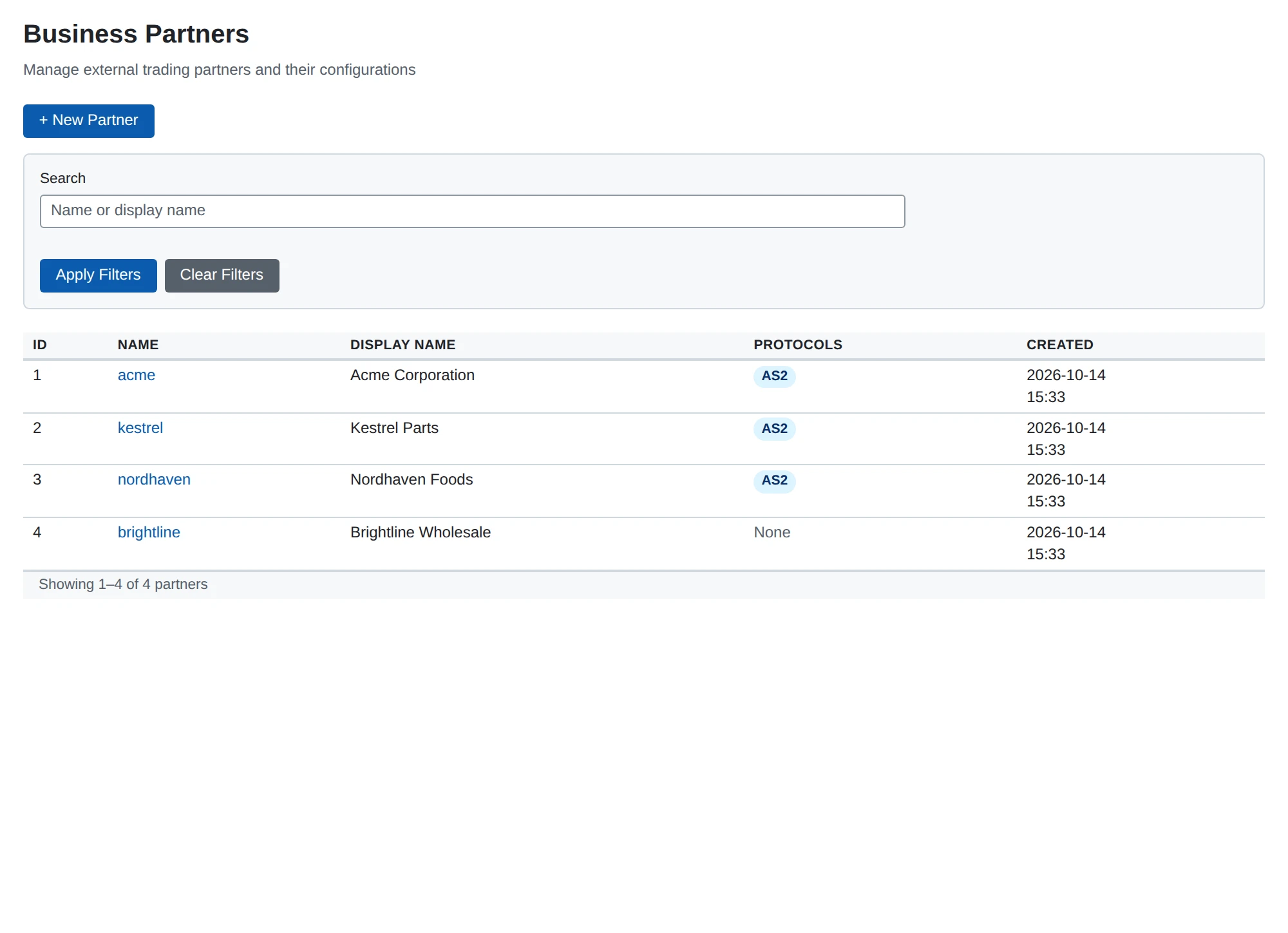
A protocol adds its own profile to a party. For example, an AS2 profile links a partner to its AS2 ID, certificates and address. A party has at most one profile per protocol. See AS2 overview.
The protocol only matters at the edges. The AS2 receiver reads the AS2 IDs of an incoming message and turns them into party names: a message from partner acme to organization mycompany. The AS2 sender does the reverse when it sends. Everything in between sees only the names.
Plugin instances
Every part that handles messages is a plugin instance: a named, configured copy of a plugin type. You manage them under Plugins in the menu. You can disable an instance without deleting it.
| Type | Role in a route | What it does |
|---|---|---|
| AS2 receiver | source | Receives AS2 messages from partners and answers with a receipt |
| AS2 sender | target | Sends messages to a partner’s AS2 address |
| File poller | source | Picks up files from a directory |
| File writer | target | Writes messages as files to a directory |
| HTTP poster | target | Posts messages to an HTTP or HTTPS address |
| Webhook notifier | none | Sends alerts, not messages (see Notifications) |
An instance name follows the same rules as a party name, for example poller_inbox or sender_main. The name must be unique across all plugin types. MicroB2B refuses a name that another type already uses.
What a new installation has
A new installation starts with:
- one organization,
local; - an AS2 receiver (
as2_receiver_default) and an AS2 sender (as2_sender_default); - a file poller (
file_poller_default) ondata/outboxand a file writer (file_writer_default) ondata/inbox; - routes from every source to every target in the same direction, from Any to Any.
You can change or delete all of them.
When changes take effect
MicroB2B starts the enabled instances when it starts. A new instance starts when you restart MicroB2B. Until then the dashboard shows it as Enabled rather than Running. A changed instance takes effect when you restart MicroB2B, or restart only that instance on System > Services.
A route needs no restart. MicroB2B uses the routes at the moment it handles a message. A route you save applies to the next message. A message that was already handled keeps the deliveries it has.
Routes
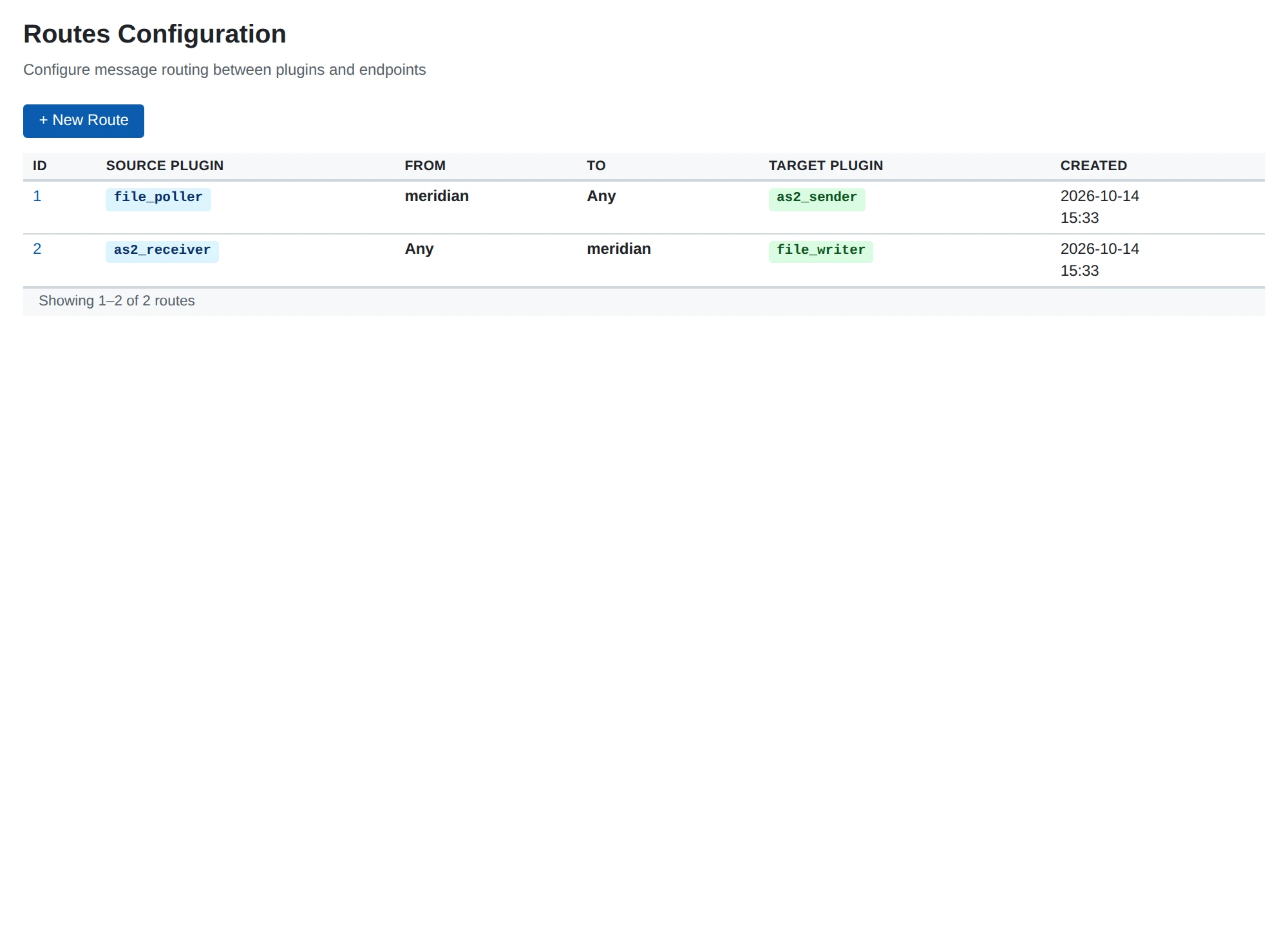
A route connects a source instance to a target instance, for messages between two parties.
| Field | What it means |
|---|---|
| Source Plugin | The instance that receives or creates the message: an AS2 receiver or a file poller |
| From | The sending organization or partner, or Any |
| To | The receiving organization or partner, or Any |
| Target Plugin | The instance that delivers the message: an AS2 sender, a file writer or an HTTP poster |
Both instances must exist and be enabled. From and To must name an existing party, or be Any.
Add a route
- Go to Routes and click + New Route.
- Choose the Source Plugin.
- Choose From and To. Use Any to match every party.
- Choose the Target Plugin.
- Click Create.
Examples
- Source
poller_inbox, From Any, Toacme, targetsender_main: every file the poller picks up foracmegoes toacmeby AS2. - Source
receiver_main, From Any, To Any, targetwriter_inbox: everything the AS2 receiver accepts is written to a directory.
How a route is matched
When a message arrives, MicroB2B compares its source instance, From and To with every route. Any matches every party. MicroB2B then creates one delivery for each target of the matching routes. A delivery is one target’s job of handing on the message. See Messages for how a delivery moves along.
If no route matches, the message gets the status Not routed and MicroB2B raises the alert message_not_routed. Add a route and press Redispatch on the message’s page. See Message actions.
Fan-out
Several routes may match one message. Each target then gets its own delivery. For example, one route to an AS2 sender and one to a file writer send the message and keep a copy.
Each target gets a message only once. Two overlapping routes to the same target still make one delivery.
Redundant routes
Two routes with the same source and the same target overlap when one covers the other. For example, mycompany to acme is covered by Any to Any. MicroB2B refuses the second route when you save it, and names the route in the way. The two would say the same thing twice.
Routes to different targets may overlap freely.